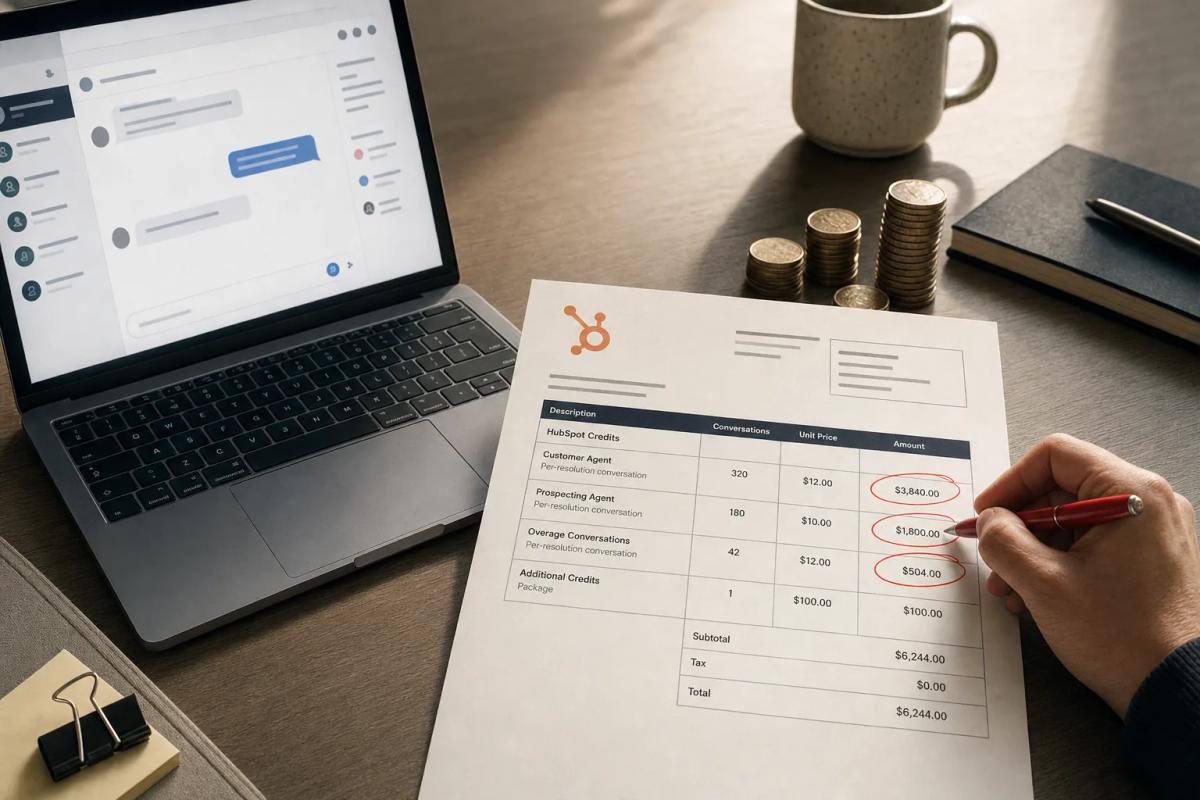
HubSpot's seat price does not cover its agents: Customer Agent draws 50 credits ($0.50) per conversation HubSpot counts as resolved, and Prospecting Agent draws 100 credits ($1) per lead it writes outreach for. At list price that makes Customer Agent the cheapest per-resolution meter you can buy, about half of Intercom Fin's $0.99 and a third of Zendesk's $1.50. The catch is how HubSpot counts a resolution. A conversation a workflow routes to a human can still bill, and negative feedback afterwards does not undo it. If you already pay for Service Hub Professional or Enterprise, turn Customer Agent on, put the account on pay-as-you-go, set a feature limit, and audit a sample of billed resolutions in the first month. Do not move helpdesks for the rate alone.
HubSpot Credits are a single prepaid or metered balance, priced at $0.01 each, that every AI agent and AI workflow action in a HubSpot portal draws from, including the agents in HubSpot Agent Hub. All prices below were checked on each vendor's live page on November 26, 2026, list price in USD.
| HubSpot Customer Agent | Intercom Fin | Zendesk AI agents | |
|---|---|---|---|
| Rate | 50 credits, $0.50 per resolved conversation (rate sheet) | $0.99 per outcome (Fin pricing) | $1.50 committed, $2.00 pay-as-you-go per automated resolution (Zendesk pricing) |
| Included | 500 / 3,000 / 5,000 credits a month on Starter / Pro / Enterprise | None; $49 monthly minimum with 50 outcomes on another helpdesk | 5 or 10 resolutions per agent a month |
| Customer goes quiet | Billed after 72 hours if the agent shared a source or took an action | Billed as an "assumed resolution" | Billed only if Zendesk's LLM check verifies it |
| Handed to a human | Billed unless the customer asked; workflow routing does not stop it | Not billed when the customer asks for a human | Not billed when a human finishes it |
| Cost at 10,000 chats, 65% resolved | $3,220 | $6,435 | $9,750 committed |
| Who should buy it | Teams already on Service Hub Pro or Enterprise | Teams on Intercom or a helpdesk with no native agent | Teams already on Zendesk Suite |
| Who should not | Teams whose routing runs on workflows they will not rebuild | Teams whose customers fall back to phone or email | Anyone on HubSpot who would have to add Zendesk seats |
What HubSpot Credits Cost and How Many You Get
Every credit costs $0.01, whether you prepay or pay later, and every paid HubSpot hub includes a monthly allowance that does not roll over.
HubSpot's credits page says credits "cost $0.010 per credit," sold upfront "in capacity packs of 1,000 credits for $10 USD" or on pay-as-you-go. The Product & Services Catalog sets the included amounts. Smart CRM, Marketing Hub, Sales Hub, Service Hub, Content Hub and Revenue Hub grant 500 credits a month on Starter, 3,000 on Professional and 5,000 on Enterprise. Data Hub and the bundled Customer Platform grant 500, 5,000 and 10,000.
Three rules in the catalog change how far that allowance goes:
- "Included credits are not additive across products." Buying Marketing Hub Professional and Service Hub Professional still gives you 3,000 a month, not 6,000.
- "Unused credits do not roll over into the following month." The billing article (last updated November 12, 2026) says credits reset on the start date of your usage period.
- The allowance is shared. Customer Agent, Prospecting Agent, AI workflow actions and intent monitoring all draw on the same balance, so a marketing team's workflows can spend the credits a support team was counting on.
The seats are separate. The Service Hub pricing page lists Professional from $90 to $100 per seat a month depending on billing term, plus a required $1,500 onboarding fee, and Enterprise at $150 per seat with a $3,500 onboarding fee. The Marketing Hub pricing page lists Professional from $800 a month with 3 core seats and Enterprise from $3,600 with 5. Both pages show 3,000 and 5,000 included credits for those editions.
In Europe, the Middle East and Africa, new customers may be on a different model. HubSpot's flexible seats-and-credits supplement prices credits at €0.010 and includes 5,000, 10,000 and 15,000 a month by edition, with the same 50-credit Customer Agent rate. Steven Forth's pricing analysis dates that model's launch to October 1, 2026.
Which Breeze Features Use Credits, Line by Line
Agents and AI actions consume credits; reply recommendations, simulations and Data Studio reports do not, and HubSpot publishes no credit rate for Breeze Assistant.
This is the generally available part of the HubSpot Credits Rate Sheet, converted at $0.01 a credit:
| Feature | Billed action | Credits | Dollars |
|---|---|---|---|
| Customer Agent | Resolve one conversation (text channels) | 50 | $0.50 |
| Prospecting Agent | Recommend outreach for one lead | 100 | $1.00 |
| Data Agent | Generate a response to one prompt for one record | 10 | $0.10 |
| Workflows | Execute one AI action in a workflow | 10 | $0.10 |
| Intent | Intent signals to create or monitor a company, per month | 10 | $0.10 |
The beta rows are where the large numbers sit. Customer Agent voice is 50 credits a minute, so a six-minute call costs $3, six times a resolved chat. Inbound Agent bills 1,000 credits ($10) to fully qualify one lead in a conversation. Content Agent bills 300 credits for a landing page or email, 500 for a social post or website page and 1,000 for "one piece of content." Revenue Agent bills 500 credits ($5) to start payment collection on one invoice, and Knowledge Base Agent 200 credits per new article. Data Studio charges 25 to 200 credits each time a dataset feeds a workflow, segment, sync or export, scaled by row count; using it in a report is free. The billing article says HubSpot aims to give 30 days' notice before beta features begin consuming credits, but that this "may not be possible."
What does not draw credits: the Customer Agent article says "Reply recommendations do not consume HubSpot credits," and that the agent uses no credits during the free access period. CMSWire reported in April that both outcome-priced agents came with a 28-day free trial; HubSpot's current article offers 14 days of free access for Customer Agent. Agent simulations run "without consuming credits," per HubSpot's credit-control article. Breeze Assistant and data enrichment have no row on the rate sheet; the catalog describes them as part of the core seat. Treat that as included until HubSpot adds a row, and recheck the sheet at renewal.
How HubSpot Defines a Resolved Conversation
HubSpot bills a conversation as resolved when its agent shared a knowledge source or took an action and the customer did not ask for a human within 72 hours of their last message.
Outcome pricing started on April 14, 2026. SiliconANGLE reported that Customer Agent dropped "from $1 per conversation to 50 cents per resolved conversation," and that Prospecting Agent moved from a monthly charge on enrolled contacts to $1 per qualified lead recommended for outreach. HubSpot's chief customer officer Jon Dick put it as "You pay when it works, full stop." HubSpot also claims the agent resolves about 65% of conversations; that is a vendor figure, and the Agent Hub ROI calculator hard-codes it as "HubSpot benchmark, not editable."
The Customer Agent article (last updated September 16, 2026) defines the billable event. A conversation is resolved if it "includes at least one reply from the customer agent that shares a content source or performed an action (e.g., a password reset), and there is no qualifying handoff to a human agent within 72 hours of the last visitor response." It is also resolved when "a lead is marked as qualified, partially qualified, or not qualified."
Four details in that article work against the buyer:
- Only the visitor can stop the meter. "Only visitor-initiated handoffs qualify," meaning the customer asked for a person or hit a configured handoff phrase. "Manual agent assignment, including assignment through workflows," does not, by itself, prevent the conversation from being counted as resolved. If your routing escalates VIP accounts or angry keywords by workflow, those conversations can still bill.
- Status is final once set. Messages from a live agent, a transfer request or negative feedback after the evaluation "will not change the resolution status." There is no refund path in the article.
- Silence counts. A customer who reads one cited answer and closes the tab bills after 72 hours, the same weakness as Fin's assumed resolutions.
- A lead the agent marks "not qualified" counts as a resolution. On a sales chat channel, the agent turning a prospect away still costs 50 credits.
Email threads can bill twice. If a customer replies more than 72 hours later, the conversation reopens, the window resets, and "if the customer agent delivers another resolution, additional credits are consumed."
Compare Zendesk, whose automated resolution tiers bill only a "verified" resolution confirmed by an LLM that reads the conversation, and charge nothing for a contained or escalated one. Zendesk's definition is the strictest of the three. HubSpot's sits close to Fin's, with one extra hole: Fin does not bill a conversation where the customer asked for a human, and neither does HubSpot, but HubSpot also bills the ones your own workflow handed off. Fin skips handoffs made by workspace escalation rules and bills only those written into a Procedure.
Prospecting Agent Bills on Outreach Generated, Not Sent
Prospecting Agent costs $1 per lead it writes outreach for, whether a rep sends the email or not.
The Prospecting Agent article (last updated November 16, 2026) says the agent "uses HubSpot Credits when it generates personalized email outreach for each lead, whether the lead is recommended by the agent or manually enrolled." Its own example: 10 recommended leads and 3 manually enrolled, outreach generated for all 13, credits consumed for all 13. The article says nothing about refunds for drafts a rep discards or about a lead recommended twice.
At 500 leads a month that is 50,000 credits, or $500, and a single workflow that enrols a list on form submission can multiply it. If your reps ignore half the drafts today, you are paying $1 for each ignored one. Pilot it with manual enrolment on one segment and compare drafts generated against emails sent before you let a workflow feed it.
A Worked Monthly Bill at 2,000 and 10,000 Conversations
At list price, HubSpot's agent costs about half of Fin and a third of Zendesk on the same traffic, before you count the conversations each vendor's definition bills differently.
The workload: a support team on Service Hub Professional handling 2,000 or 10,000 inbound chat conversations a month. All three vendors bill 65% of conversations as resolved, HubSpot's own benchmark. All 3,000 included credits go to Customer Agent, and the rest is pay-as-you-go. Seats are left out because every option still needs humans for the other 35%.
| Monthly AI fee | 2,000 conversations | 10,000 conversations |
|---|---|---|
| HubSpot Customer Agent: 1,300 / 6,500 resolutions x 50 credits, minus 3,000 included | 65,000 credits, $620 | 325,000 credits, $3,220 |
| Intercom Fin at $0.99 per outcome | $1,287 | $6,435 |
| Zendesk, committed at $1.50 | $1,950 | $9,750 |
| Zendesk, pay-as-you-go at $2.00 | $2,600 | $13,000 |
Zendesk's per-seat allowance of 5 or 10 resolutions trims a few hundred dollars from its line, and Fin's $49 minimum is irrelevant at these volumes.
Two adjustments matter more than the rate:
- The billed rate will not be the same across vendors. Zendesk's verified tier should bill fewer of the same conversations. HubSpot's rule bills workflow-routed handoffs that Fin and Zendesk would not. Each 10 points of extra billed rate on 10,000 conversations adds $500 a month on HubSpot, $990 on Fin and $1,500 on Zendesk committed. Even if HubSpot billed 80% while Zendesk billed 50%, HubSpot would still cost $3,970 against Zendesk's $7,500.
- False resolutions cost more than the meter. A customer billed as resolved who then emails or calls costs a human contact on top of the $0.50. On HubSpot that cost is invisible, because the status cannot change after the 72-hour evaluation.
The rate gap is large enough that a HubSpot portal should not leave Service Hub to save on the meter. Our per-resolution comparison works the same arithmetic with seats and a human-contact baseline at 10K to 200K conversations.
Pay-as-You-Go Versus Capacity Packs, and the Limits Admins Can Set
Choose pay-as-you-go: it costs the same $0.01 a credit as a capacity pack, carries no term commitment, and bills only what you used.
Capacity packs are bought for the contract term. The billing article says you "can only cancel or downgrade your additional HubSpot Credits capacity packs at the end of your contractual commitment term," and pack credits expire monthly like included ones. Pay-as-you-go is billed monthly in arrears in increments of 10 credits, "rounding down." At list price a pack only makes sense if your rep discounts it, so ask for that discount in writing or skip the pack.
Check your default. The same article says accounts that bought extra credits before September 16, 2026 default to auto-upgrade, which moves you to "a higher HubSpot Credits capacity pack that reflects your usage for the rest of your commitment term." One heavy month can lock in a bigger pack until renewal. Accounts that bought on or after that date default to pay-as-you-go.
The controls HubSpot gives admins, per the billing and credit-control articles:
- An account-level limit, set automatically "up to 50% above your total monthly credits." HubSpot's example is 8,000 credits a month with a 12,000 limit.
- Feature-level limits, which are "monthly spending limits, not credit allocations." When one is reached, further credit use for that tool is blocked.
- Action-level limits, available only for buyer intent and Customer Agent.
- A monthly run limit per agent, set in the agent builder.
- Usage emails to billing contacts at 75%, 85% and 90% of the limit and when it is reached.
The limits stop the agent as well as the bill. When credits run out, Customer Agent "will temporarily stop being assigned to new conversations across all connected channels" until the reset date or a purchase. A team that sized its limit for a quiet month can lose its first-line agent on the busiest day of a launch. Set the Customer Agent feature limit above your forecast peak, make sure your handoff routing sends new conversations to people when the agent stops, and set a separate, lower limit on beta agents and AI workflow actions so they cannot drain the support budget. A June 2025 community AMA already had a customer asking how to stop spam chats from spending credits; filter spam before it reaches the agent.
Which Option Should You Pick?
Decide on your helpdesk first, then on the definition you can audit, then on the rate.
- If you run Service Hub Professional or Enterprise, use Customer Agent. At $0.50 it is the cheapest meter here and it needs no new seats or integration. Rebuild escalation so the customer triggers it through a handoff phrase or an explicit request, since workflow assignment still bills.
- If you run Intercom, use Fin. Saving $0.49 a resolution by moving to HubSpot means a helpdesk migration, Service Hub seats at $90 to $150 and a $1,500 or $3,500 onboarding fee. Run that sum against your own volume before you treat the rate gap as savings.
- If you run Zendesk, stay on Zendesk's AI agents at the committed $1.50. Its verified tier is the only definition of the three where the vendor has to show the conversation was solved before it bills.
- If your customers fall back to phone or email when chat fails, discount every vendor's billed rate by your repeat-contact rate before comparing. HubSpot and Fin both bill silence.
The loser for a HubSpot portal is Zendesk. It is the right product for teams already paying Zendesk seats, but for a HubSpot shop it costs three to four times as much per resolution and adds a second helpdesk. Within HubSpot, the losing purchase is a list-price capacity pack: the same price as pay-as-you-go, with a term commitment and monthly expiry.
HubSpot gave up revenue to get here. Forth's analysis quotes the company calling the price cut "a near-term headwind for credit expansion." A vendor that calls its own price cut a headwind may want the revenue back later, so fix the 50-credit rate for your whole term.
This Week:
- Open the credit usage dashboard, check whether the account is on auto-upgrade or pay-as-you-go, and switch to pay-as-you-go if you are not under a discounted pack.
- Set a Customer Agent feature limit above your peak month and a lower limit on beta agents and AI workflow actions.
- List every workflow that assigns chats to a human. Those conversations can bill even after a human takes over.
This Month:
- Export 100 conversations HubSpot billed as resolved, stratified by topic, and have a team lead mark each one solved or not. Join the list against repeat contacts on any channel within 7 days. That share is your false-resolution rate.
- Move workflow-based escalations to configured handoff phrases where the customer's intent is clear, so the meter stops when they ask.
- For Prospecting Agent, compare drafts generated against emails sent for the month.
Before Renewal:
- Take your audited false-resolution rate to your account team and ask for a credit for disputed resolutions and for workflow handoffs to be excluded from billing.
- Get the per-credit price and the 50-credit Customer Agent rate fixed for the term.
The Bottom Line
Outcome pricing changes what you argue about. Under per-conversation billing, the only question was volume. At $0.50 per resolution, the bill depends on HubSpot's definition, and that definition is decided by HubSpot's 72-hour timer, ignores negative feedback left after that evaluation and counts your own workflow handoffs. The same thing happened to contact centres with containment metrics; we covered it in our contact-centre platform comparison. The rate is the lowest in this comparison. Audit 100 billed resolutions before you trust the invoice.
Continue Reading
- Your Fin Bill Can Include Customers Who Leave Without Replying
- Your Agentforce Bill Depends on How Many Actions an Agent Takes
- Your Copilot Studio Chat Could Cost $7.84 on a Reasoning Model
- Your 500-Seat Rovo Bill Could Reach $5,580 a Month
- Agentic AI Pricing: Don't Buy Consumption Without a Cap
- Best AI Contact Center Platforms: Containment Isn't Resolution
- Set ChatGPT for Sales Write Access Before Reps Connect