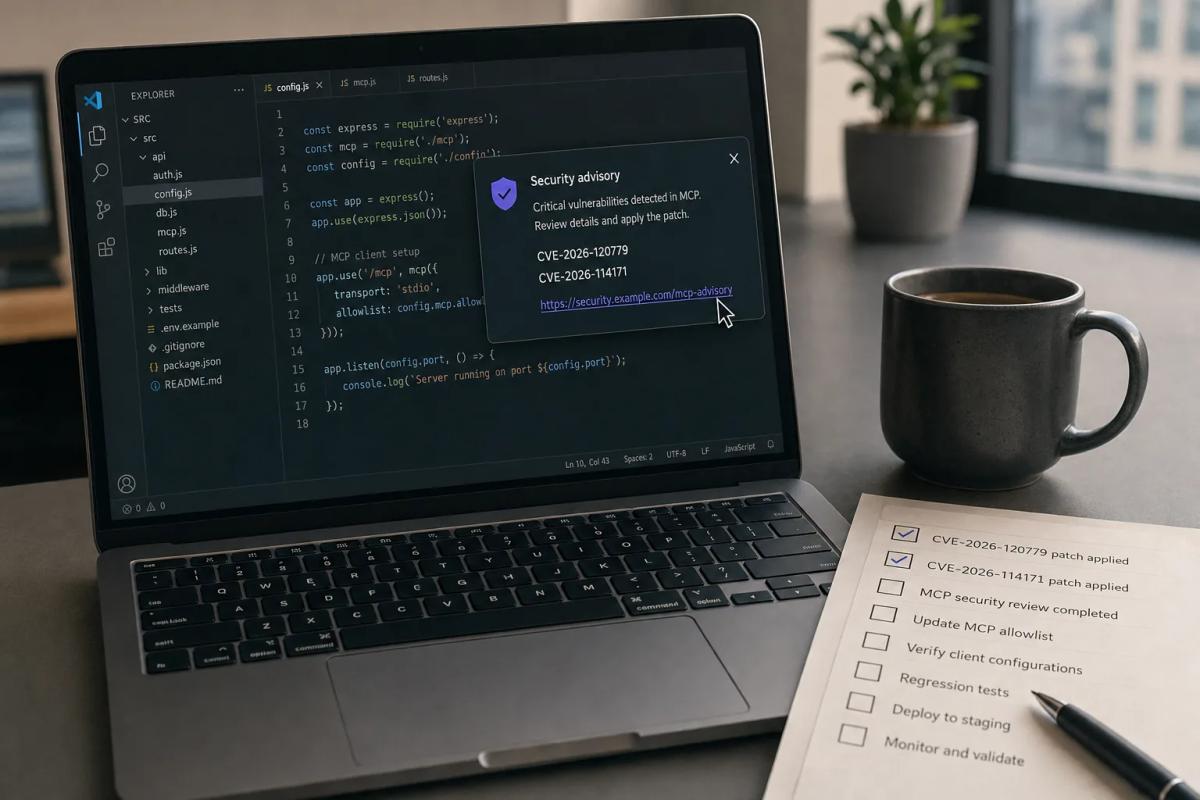
If your developers can add MCP servers to VS Code, any build older than 1.145.3 lets a malicious server, or a crafted vscode:mcp/install link, run commands with that developer's permissions. Microsoft fixed three of these flaws on November 10. Nobody has reported exploitation yet, so you have a window to push the update across the fleet before anyone attacks it. Then you have a harder job: deciding who in your company is allowed to say yes to an MCP server, because the attacks still start with that yes, patched or not.
The two headline bugs are CVE-2026-120779, which Microsoft's CVE record scores 9.6, and CVE-2026-114171, scored 8.8. A third, CVE-2026-119983, shipped in the same release and is tracked in VS Code issue #347428. All three affect VS Code 1.145.2 and earlier.
What the Three VS Code MCP Bugs Actually Do
All three bugs let a remote MCP server or link turn ordinary user interaction into command execution on the developer's machine. MCP (Model Context Protocol) is the standard that lets an AI assistant call outside tools and data sources; VS Code's chat and agent features act as the MCP client.
Elicitation Notifications (CVE-2026-120779)
Elicitation is the MCP feature that lets a server ask the user for more information partway through a task. The MCP specification describes it as "a standardized way for servers to request additional information from users through the client." According to microsoft/vscode issue #347426, VS Code's fallback notification path for these requests could treat server-controlled text as an interactive VS Code command link. If a user clicked the crafted notification, the server got command execution. The fix renders elicitation messages as literal text and validates the payload before display.
Install Links (CVE-2026-114171)
VS Code supports one-click vscode:mcp/install links that add a server to a developer's configuration. Per issue #347430, VS Code accepted crafted install links without rejecting unsafe input definitions or variable values, so a server installed from one could resolve a command-backed input and run an attacker-chosen command as the user. The user has to open the link and approve the installation. The fix validates install-link inputs, rejects command-backed variables and shows the user more clearly what configuration is being installed.
Legacy SSE Endpoints (CVE-2026-119983)
VS Code's MCP client accepted a new transport endpoint from a remote server over the older SSE transport without properly checking its origin or protocol, per issue #347428. Microsoft describes the possible result as exposed credentials or further code execution, and calls the impact potential rather than confirmed.
How Urgent Is the VS Code MCP Patch?
Patch this month on your normal fast track, but don't treat it as an emergency. Rapid7's November 2026 Patch Tuesday analysis lists both CVE-2026-120779 and CVE-2026-114171 as "Exploitation Less Likely" with no public disclosure before the patch. The CVE records on OpenCVE show EPSS scores of 0.0064 and 0.00816, CISA's SSVC assessment marks exploitation as "none" for both, and neither is in the KEV catalog.
The scores also disagree depending on where you look, which matters if your vulnerability tooling ranks by CVSS. Microsoft's CVE record puts the elicitation bug at 9.6, while the GitHub advisory GHSA-66hq-jw93-462h lists 8.3 with the same vector string. The install-link bug is 8.8 in Microsoft's record, which titles it a "Security Feature Bypass" under CWE-451 (UI misrepresentation), while the GitHub advisory GHSA-crhv-2887-p3xr calls it remote code execution at 7.7 under CWE-20 and CWE-78. Either way, every rating needs user interaction, so the real exposure depends on how freely your developers connect to servers and click what those servers show them.
The VS Code fixes also arrive in a month with bigger fires. BleepingComputer counts 1,235 flaws in this Patch Tuesday, including CVE-2026-124194, an Outlook spoofing zero-day already used to steal NTLM hashes. Your Windows team will start with that, so VS Code needs its own owner or it will wait in the backlog behind Outlook.
Are Cursor, Windsurf and Other VS Code Forks Affected?
Nobody has said publicly, and you should not assume a fork is safe because it ships its own MCP client. Cursor, Windsurf and other editors built on the VS Code codebase update on their own schedules. As of November 12, none of them had published a statement on these three CVEs.
The clearest signal so far is a Cursor community forum thread posted on November 11. The poster reports that Cursor 3.29.15, built November 8, uses VS Code extension API 1.128.0 and Electron 43.8.4. The only reply came from a community member, not Cursor staff. That reply says the vulnerable fallback branch exists in upstream VS Code 1.128.0 and that Cursor's MCP docs list elicitation as supported, but it doesn't say whether Cursor's build actually reaches that code. Treat that as an open question to put to the vendor.
Forks have been caught by MCP approval bugs of their own before. Cursor's CVE-2025-54136, published August 1, 2025, let an attacker who could edit an already-approved MCP configuration swap in a malicious command without a new approval prompt; Cursor fixed it in version 1.3. Three weeks earlier, on July 9, 2025, CVE-2025-6514 in the mcp-remote npm package, scored 9.6, gave OS command injection to any untrusted MCP server a developer connected to. Each time, the attacker needed a developer to connect to the wrong server or approve one.
Why Patching Alone Does Not Close the MCP Server Risk
The update closes three ways a server could abuse a developer's trust, and your developers still choose which servers to trust. Every one of these bugs, and both 2025 precedents, required a person to install, connect to or approve a server. Microsoft's workaround for the elicitation and SSE bugs is "Only connect to trusted MCP servers," and for the install-link bug it is to install servers only from trusted sources. That advice only works once your company has decided which servers count as trusted.
VS Code now gives administrators the controls to make that decision enforceable. Microsoft's AI settings guide for enterprises documents allowedMcpServers and deniedMcpServers as Copilot enterprise-managed settings, each rule matching on serverUrl, serverCommand or serverName. An empty allowedMcpServers: [] blocks every server, and denials win over the allowlist. The same page names a ChatMCP device policy as the fallback when the registry policy fetch fails, a chat.mcp.access setting of "none" to switch MCP off entirely, and ChatToolsAutoApprove set to false so developers cannot turn on global auto-approval.
We covered why enforcement has to sit at the client in our MCP server governance buyer's guide. These CVEs put that argument in concrete terms: the install link and the elicitation prompt both arrive at the editor, and no gateway in the middle sees them.
The steel-man for leaving MCP open is real. Developers use MCP servers to reach internal docs, ticket systems and databases, and a deny-by-default policy forces them to file a request for every new integration. If your platform team cannot turn those requests around within a day, developers will route around the policy with personal machines or forks you don't manage, which is the same shadow-tool pattern we saw with personal Claude accounts on work laptops. The allowlist only holds if approving a server is quick.
What to Do About the VS Code MCP Vulnerabilities
This Week:
- Push VS Code 1.145.3 to every managed machine and confirm the version. VS Code's update policy is
UpdateMode, with valuesdefault,start,manualandnone. Find the machines set tomanualornone; they will not pick up the fix on their own, so your endpoint tool has to deploy it. - Inventory MCP servers already configured on developer machines. Pull workspace and user MCP configurations through your endpoint tooling and list every server URL and command. Remove anything nobody can name an owner for. Disable legacy SSE servers until the update lands, as issue #347428 advises.
- Email each fork vendor in use. Ask Cursor, Windsurf and any other VS Code-based editor on your network, in writing, whether their build contains the elicitation, install-link and SSE code paths fixed in 1.145.3, which version carries the fix, and when it ships.
This Month:
- Turn on an MCP allowlist. Start with
allowedMcpServerslisting the servers your inventory found and a named owner approved, and setChatToolsAutoApprovetofalse. Back it with theChatMCPdevice policy so the restriction survives a failed policy fetch. - Name the approver and set a turnaround target. Decide whether security, the platform team or a delegated engineering lead approves a new MCP server, and commit to a turnaround in days. Write it down where developers will find it.
- Add MCP to your phishing and secure-coding training. A
vscode:mcp/installlink in a chat message or README is now a known attack path. Show developers what one looks like and tell them to install only from the approved list.
Before Your Next Coding-Agent Renewal:
- Put MCP patch timelines in the contract. Ask each AI editor vendor for a written commitment on how fast they ship upstream VS Code and MCP security fixes, and for a security advisory feed you can subscribe to. If you are already testing MCP clients for injection, a red-teaming harness like the ones in our Garak, PyRIT and Promptfoo comparison can run the same probes against each editor.
The Bigger Picture
MCP is following the same path browser extensions took: a one-click install that runs with the user's full permissions, then a run of vulnerabilities, then admin allowlists. Since mid-2025 the MCP vulnerabilities have moved from a single npm package (CVE-2025-6514) to a fork's approval logic (CVE-2025-54136) to VS Code's own MCP client this week. Server-side flaws such as the Prefab UI bug in FastMCP keep arriving at the same time.
The companies that handled browser extensions well had an allowlist and a fast approval queue before the bad extension showed up. GitHub Copilot customers on VS Code have those controls today. The rest of the work is choosing the approver and setting their turnaround.
Push 1.145.3 this week, then send the fork vendors your questions.
Continue Reading
- MCP Server Governance: Enforce at the Client, Not the Registry
- Your Agent Allowlist Says Python. It Means Any Command.
- Prefab UI CVE-2026-120338 Lets FastMCP Clients Read Host Files
- The Pinned Commit Was a Branch. Check Your Git Host.
- Personal Claude Accounts Expose Work Laptops to ThisBash
- MCP vs A2A vs OpenAPI: Which Agent Integration Standard to Use