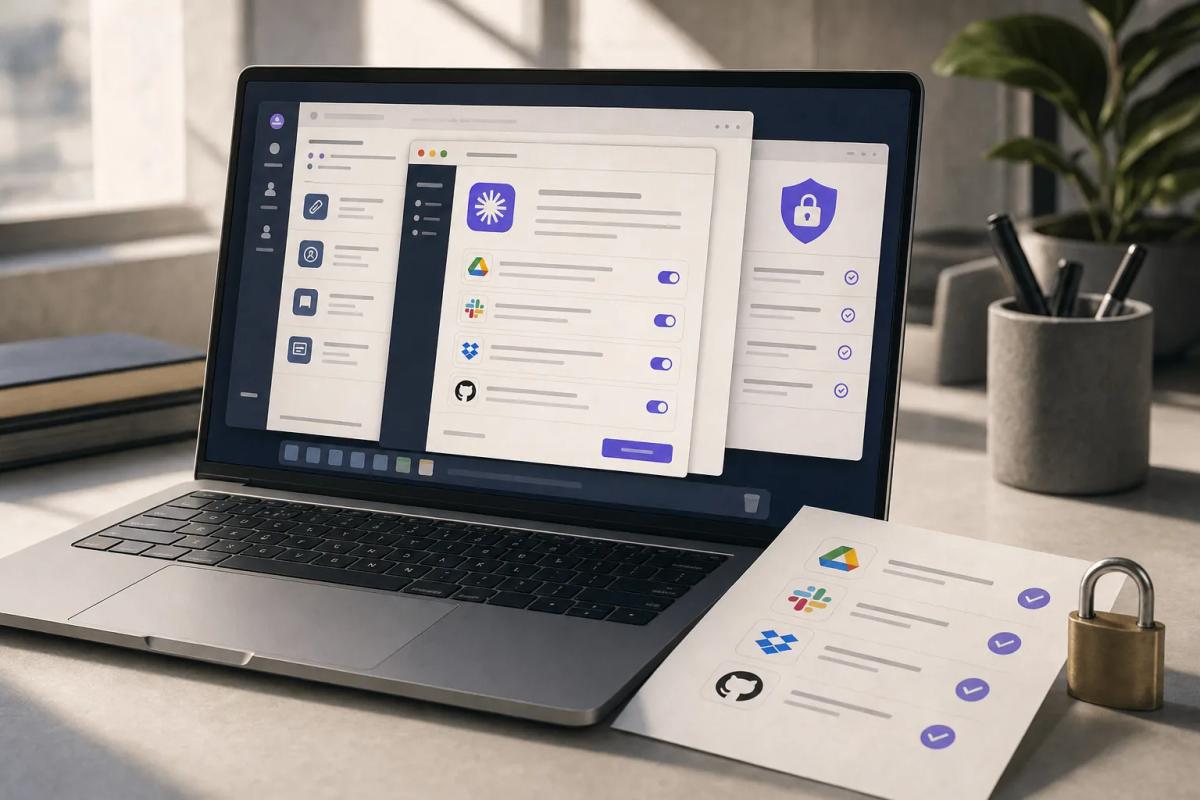
Claude computer use is now in beta on Team and Enterprise plans. It is off until an Owner turns it on, and once it is on, Claude can click and type in any desktop app a user approves, on the user's real machine, with no sandbox between Claude and those apps. Before anyone flips the toggle, decide which apps are allowed, which roles get it, and which machines are locked out by MDM. Anthropic's own setup guide puts it plainly: "Computer use has no sandbox between Claude and a user's applications." The folder limits and "Read only" markings your users already rely on in Cowork do not apply to it. If your security team signed off on Cowork because of those limits, that sign-off does not cover this feature.
What Anthropic Shipped on November 20
Anthropic added computer use for Team and Enterprise to its release notes on November 20, 2026, saying it is "rolling out to organizations gradually." The details live in a new help-center article on admin setup and in the existing guide to letting Claude use your computer in Cowork. AI Weekly picked up the release-note entry the following day.
Computer use lets Claude see a user's screen and work inside desktop applications. Per the setup guide, it runs in Claude Desktop on macOS 14 or later and on Windows, only in the new Claude experience where the Chat and Cowork unified capability is on. Users can also drive it from Claude on the web or Claude Mobile if your org has the separate Computer access setting on and a computer with Claude Desktop open is connected. It does not work in Claude Code or in tasks started with the older standalone Cowork option.
Those two settings are easy to confuse. Computer use is the ability to see the screen and operate apps. Computer access is the ability to reach a desktop remotely from scheduled tasks, the web or a phone. Anthropic calls them "different settings," and you should review them as two separate risk decisions, because the second one means an action can start on a machine nobody is sitting at.
If the setting is missing from your console, the guide says it either hasn't reached your organization yet or your organization can't have it.
Why the Usual Cowork Controls Stop Short Here
Computer use operates outside the permission model your users know from the rest of Cowork. Anthropic's Cowork safety guide says Claude "clicks, types, and navigates your screen directly, without the permission checks that gate other Cowork tools," and that Cowork's deletion protection "doesn't cover computer use."
What remains is a per-app prompt. The Cowork computer-use guide says Claude asks before accessing each application and can keep using that app for the rest of the session once approved. It also limits what Claude can do by app type:
- In browsers and many investment, trading and crypto apps, Claude can see the screen but cannot click or type.
- In terminals and code editors, it can click and scroll but cannot type. Anthropic adds that "a click can still run code in these apps."
- Most other apps get full access.
- Some categories, including music, video streaming and e-book apps, are off limits by default.
Claude is trained to avoid trading, avoid typing passwords and card numbers, and check in about actions a request doesn't clearly cover, such as sending a message or submitting a form. Anthropic says "these safeguards aren't perfect." The Cowork guide also warns that an action in one app can spill into another, such as a link opening in Chrome when Chrome was never approved.
Prompt injection is the specific threat. The setup guide warns that on-screen content such as a web page or an email "could cause Claude to take unintended actions." The best public number Anthropic has published on this comes from its browser extension, not desktop computer use: in a November 2025 research post, Claude for Chrome's attack success rate against an adaptive attacker fell to 1.4% for Opus 4.5 with improved safeguards, and Anthropic wrote that even a 1% rate "still represents meaningful risk." Treat that as the nearest available reference point. Anthropic has not published an equivalent figure for desktop apps.
We covered the same failure mode when Anthropic disclosed a Haiku 4.5 agent submitting a form it was never asked to submit. As in that incident, the controls that hold are the ones enforced outside the model, and for computer use that means the app list.
The Admin Controls: Roles, App Lists and One MDM Key
Anthropic gives you three levers, and the documentation for each one carries a caveat.
The Org Toggle and Roles
Only an Owner or Primary Owner can turn computer use on, under Organization settings > Capabilities > Claude Desktop, according to the setup guide. Team plans have no custom roles, so on Team it is everyone or no one. On Enterprise, the built-in User, Admin, Owner and Primary Owner roles get it the moment it is enabled. To keep it from someone, you move them to a Custom role and wait 15 minutes. A role set to "All capabilities" cannot be cleared in the list; you have to switch its capability access to "Only selected," turn computer use off on the role, and wait again. Turning the feature off takes about an hour, sometimes longer, to reach each user's desktop. Plan your rollback around that hour.
The App Lists
You choose one of two modes: "Block these apps" or "Allow only these apps." Only one is active at a time. With an allowlist, everything not listed is denied and users still approve each listed app individually. App IDs are bundle IDs on Mac (com.microsoft.Excel) and file names or AUMIDs on Windows (excel.exe). The guide warns that "nothing checks that a typed ID names a real app" and that "a new version of an app can change its ID," so a typo or an update can silently open or close a hole. The list is pushed to users' computers, so it should contain nothing confidential. Users on older Claude Desktop versions lose computer use entirely while an allowlist is active, until they update.
The MDM Key
Set computerUseEnabled to false to keep computer use off on a specific machine. It needs Claude Desktop 5.1231.0 or later and must be deployed at the computer level, not to a user. On macOS it is a Boolean in a configuration profile for com.anthropic.claudefordesktop; on Windows it is a DWORD of 0 under HKEY_LOCAL_MACHINE\SOFTWARE\Policies\Claude. Two warnings from the guide matter for your packaging team. First, an older Windows version "rejects the whole policy" if that registry key holds only values it doesn't recognize, such as computerUseEnabled alone. Second, the key "isn't a lock against someone who can change the app or the computer's settings." MDM can only turn the feature off. Setting it to true does nothing that leaving it unset would not.
What the App Lists Do Not Cover
The allowlist governs Claude's screen control and nothing else, so you still need separate policy for every adjacent surface. The setup guide lists what falls outside it: Claude in Chrome, the built-in browser, Claude Code, desktop extensions, personal or other-org Claude accounts, websites and browser extensions, apps running inside remote desktops or VMs, text copied out of a denied app, recordings made with Record a skill, and Windows notifications, which stay visible in screenshots.
Two of those deserve attention on Monday. Apps inside a remote desktop session are invisible to the list, so an allowlist that permits your RDP or Citrix client effectively permits whatever runs inside it. And personal accounts sit outside your org's settings altogether, which is the same gap we described when personal Claude accounts exposed work laptops to ThisBash. The computerUseEnabled key is set per machine rather than per account, so it is the control most likely to reach a personal account on a managed laptop. Test that on one machine before you rely on it.
Who Cannot Turn It On
Regulated configurations are excluded outright. The setup guide says organizations with the HIPAA-ready configuration, Zero Data Retention for Claude Code, customer-managed encryption keys (CMEK), or FERPA or K-12 settings cannot enable it.
If you run any of those, the decision is made for you, and your work is to make sure nobody routes around it with a personal Pro or Max account. The Cowork guide says some Pro, Max and Ultra accounts already have computer use switched on by default. That is the same pattern as the Claude for Google Workspace add-on that shipped without ZDR support: the strictest tenants get the feature last.
Screenshots Are Chat Data, and Logging Is Incomplete
Every screenshot Claude takes is saved with the chat. The setup guide says those images "can include personal or confidential information," that the automated action-review check can see the latest one, and that Anthropic "can keep a copy of it in its record of the check." That data falls under Anthropic's Commercial Terms and Data Processing Addendum. The guide states no separate retention period for screenshots.
In practice, a user who lets Claude work in an HR system or a CRM is putting images of those screens into the Claude chat record. Your DPA review, your retention policy and any eDiscovery hold need to treat them the way they treat pasted text.
The audit trail is thinner than the data trail. Anthropic's Team and Enterprise Cowork page says Cowork sessions are captured in the Compliance API and that OpenTelemetry events cover "tool calls, file access, human approval decisions, and more," while noting OpenTelemetry "doesn't replace audit logging for compliance purposes." Neither page says the Compliance API records individual computer-use actions, screenshots or app approvals. For local sessions, the Compliance API returns only the most recent 30 days. Until Anthropic documents action-level logging, assume you can reconstruct that a session happened but not every click in it. Our earlier piece on Claude Enterprise's security center and inference hooks covers the hooks you can put in front of prompts.
What to Do Before an Owner Turns It On
The fair case for enabling it is real. Plenty of enterprise work still lives in desktop apps with no API and no connector, and a supervised agent that can operate them is cheaper than a new RPA contract. The aim is to turn it on for the people who need it, inside a list you wrote.
This Week:
- Confirm which configurations you run. If any tenant uses HIPAA-ready, ZDR for Claude Code, CMEK, FERPA or K-12 settings, write that down as a hard no and move straight to the MDM item below.
- Ask your Owners not to touch the Computer use toggle until the app list exists. On Enterprise, every built-in role gets it immediately when it is enabled.
- Have your endpoint team package
computerUseEnabled=falsefor machines that should never run it: finance close workstations, shared kiosks, privileged-access workstations. Test the Windows package on an older Claude Desktop build first, because of the whole-policy rejection.
This Month:
- Draft an allowlist, not a blocklist. Start with three to five apps a named pilot group actually needs, collect the real bundle IDs and executable names from managed machines, and record the app versions so an ID change after an update gets caught.
- Leave remote desktop clients, terminals, password managers and banking or payroll apps off the list. A remote session hides everything inside it, and a click in a terminal can run code.
- Create an Enterprise Custom role for the pilot, move everyone else off the built-in roles that inherit the feature, and wait out the 15-minute propagation before enabling.
- Add screenshots to your DPA and retention review, and tell the pilot group in writing that their screens become part of the chat record.
Before Wider Rollout:
- Ask your Anthropic account team whether the Compliance API or OpenTelemetry will log per-action computer-use events, app approvals and screenshots, and get the answer in writing.
- Run a prompt-injection test inside an allowed app (a planted instruction in an email or a document) and see whether Claude acts on it, using the approval mode your users will actually choose.
- Time a full shutdown: turn the feature off and measure how long it takes to stop on a pilot machine against Anthropic's stated hour.
The Bottom Line
When Anthropic introduced computer use in October 2024, it called the capability "still experimental" and "at times cumbersome and error-prone." The developer documentation still recommends running it in "a dedicated virtual machine or container with minimal privileges" and limiting internet access to an allowlist of domains. The Team and Enterprise beta runs on the employee's own desktop, with the employee's own sessions and files, which is the setup that guidance tells developers to avoid. Anthropic says as much in its own help articles, and that candour is useful: it tells you the app list, the role and the MDM key are the containment, because no VM is doing that job.
We saw the same shape when ChatGPT's Chrome extension started operating logged-in tabs and when OpenAI's healthcare agents arrived with allowlists and approvals as the main controls. That Chrome extension launched without a complete action log, and Claude's beta documentation describes no action-level logging either. For a product overview, see our Claude Computer Use tool page.
Write the allowlist before an Owner opens the Capabilities page.
Continue Reading
- Your Claude Enterprise DLP Hooks May Let Unchecked Prompts Through
- Personal Claude Accounts Expose Work Laptops to ThisBash
- ChatGPT Extension Can Control Chrome Tabs on Salesforce, Gmail
- Claude Data Turns On for Enterprise Plans November 19
- Browserbase vs Playwright vs Computer Use: The Script Still Wins
- Claude Workspace Add-On Does Not Support Zero Data Retention